Creative Workflows
The online proofing platform for creative professionals. Share branded review links, track approvals, and deliver work seamlessly.
10,000+ Creatives, Agencies and Brands trust Picflow:
Really enjoying Picflow! It's the best online image management and sharing tool I've used yet. You guys are doing a wonderful job!
:quality(85))
It’s a seriously awesome tool – I checked out all of them, and Picflow is literally the best!
:quality(85))
My clients love the ease and smooth process for selecting and approving their images in Picflow.
:quality(85))
:quality(75))
:quality(75))
:quality(75))
Proofing that Keeps Creatives Moving
Whether you're reviewing designs, video, or documents, Picflow makes it easy to leave feedback, manage approvals, and keep your project management workflow in sync—all in one place.
:quality(85))
:quality(85))
FAQs
Picflow is an online proofing and digital asset management platform for creative professionals. It lets you create branded client galleries, collect feedback through favorites, comments and annotations, manage approvals, and securely share and transfer media files — all in one place.
Picflow is built for photographers, creative agencies, marketing teams, design studios, and any professional who needs to share visual assets and collect client feedback. Whether you're a freelance photographer delivering wedding galleries or a marketing team reviewing campaign assets, Picflow streamlines your workflow.
Yes. Picflow offers a free plan with no time limit that includes 2 GB of storage, unlimited galleries, and unlimited collaborators. Paid plans start with a 7-day free trial so you can test the full feature set before committing.
Picflow supports all common image formats (JPEG, PNG, TIFF, WEBP, HEIC), RAW files from major camera brands (CR2, CR3, NEF, ARW, DNG, and more), videos (MP4, MOV up to 4K HDR), and audio files. RAW files are automatically converted to high-quality previews.
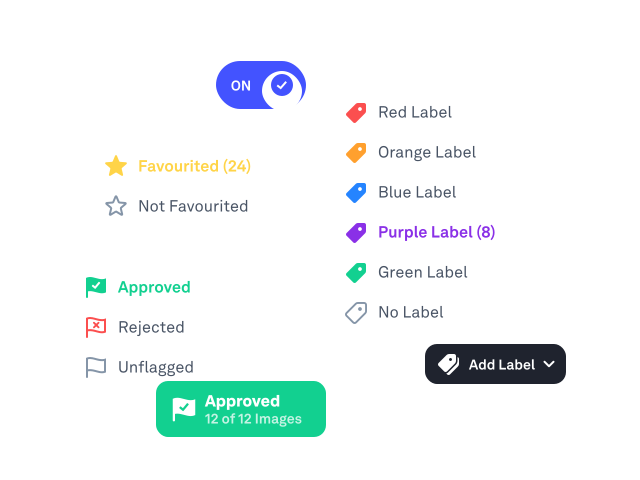
You upload your assets, create a gallery, and share a branded review link with your client. They can mark favorites, leave comments with annotations directly on images, apply color labels, and set approval statuses — all without needing an account. You get real-time notifications on all activity.
No. Clients and external reviewers can access galleries, leave feedback, and download files without creating an account. You can have unlimited reviewers on any plan — a license is only needed to create and manage galleries.
Yes. You can upload your logo, set brand colors, connect a custom domain (e.g., gallery.yourbrand.com), and remove the Picflow badge on paid plans. Every gallery link reflects your brand, not ours.
Yes. Picflow integrates with Adobe Lightroom Classic, Capture One, Dropbox, Google Drive, Box, and Zapier. You can also embed galleries on any website (WordPress, Webflow, Squarespace, Framer) using our gallery widget, and connect Google Analytics or Google Tag Manager for advanced tracking.